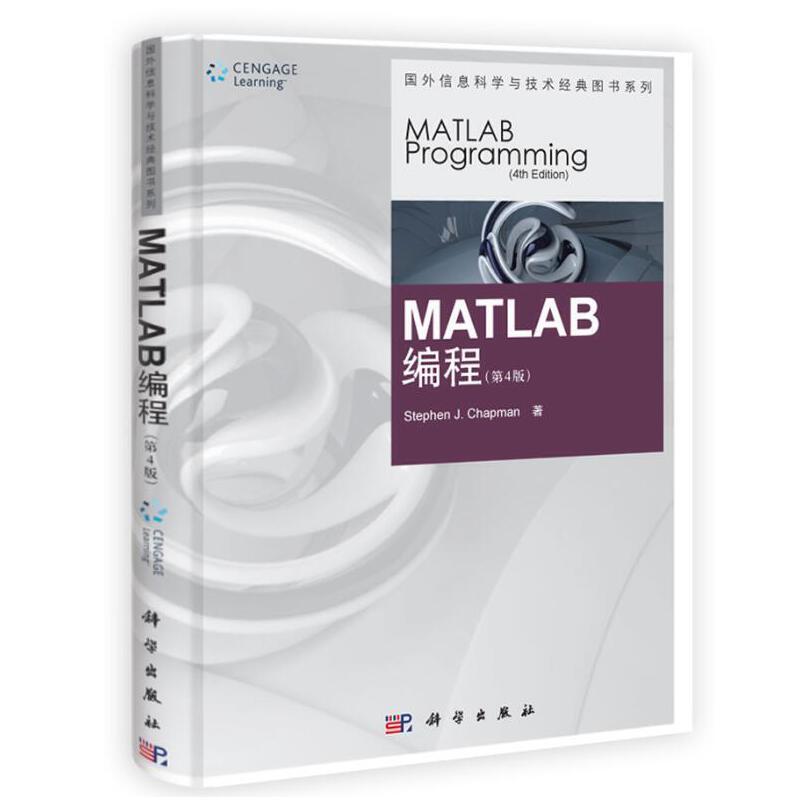
商品详情 商品名称:MATLAB编程(第四版)(影印版) 商品编号 :613295137433 店铺: 重量:0.000千克 上架时间:2020-09-01 11:55:31 ISBN编号 :9787030305428 书名 :MATLAB编程,MATLAB编程 作者 :Stephen,J?,Chapman,著 出版社名称 :科学出版社 定价 :58.00元 开本 :16开 是否是套装 :否 更多参数>>
...... 基本信息 商品名称: MATLAB编程(第四版)(影印版) 开本: 128开 作者: Stephen J. Chapman 定价: 88.00 ISBN号: 9787030305428 出版时间: 2020-01-01 出版社: 科学出版社 印刷时间: 2020-01-01 版次: 4 印次: 10 CHAPTER 1 Introduction to MATLAB1.1 The Advantages of MATLAB1.2 Disadvantages of MATLAB1.3 The MATLAB Environment1.3.1 The MATLAB Desktop1.3.2 The Command Window1.3.3 The Command History Window1.3.4 The Start Button1.3.5 The Edit/Debug Window1.3.6 Figure Windows1.3.7 Docking and Undocking Windows1.3.8 The MATLAB Workspace1. ... 展开完整描述 ▼
...... 基本信息
商品名称: MATLAB编程(第四版)(影印版) 开本: 128开 作者: Stephen J. Chapman 定价: 88.00 ISBN号: 9787030305428 出版时间: 2020-01-01 出版社: 科学出版社 印刷时间: 2020-01-01 版次: 4 印次: 10
CHAPTER 1 Introduction to MATLAB 1.1 The Advantages of MATLAB 1.2 Disadvantages of MATLAB 1.3 The MATLAB Environment 1.3.1 The MATLAB Desktop 1.3.2 The Command Window 1.3.3 The Command History Window 1.3.4 The Start Button 1.3.5 The Edit/Debug Window 1.3.6 Figure Windows 1.3.7 Docking and Undocking Windows 1.3.8 The MATLAB Workspace 1.3.9 The Workspace Browser 1.3.10 Getting Help 1.3.11 A Few Important Commands 1.3.12 The MATLAB Search Path 1.4 Using MATLAB as a Scratch Pad 1.5 Summary 1.5.1 MATLAB Summary 1.6 Exercises CHAPTER 2 MATLAB Basics 2.1 Variables and Arrays 2.2 Creating and Initializing Variables in MATLAB 2.2.1 Initializing Variables in Assignment Statements 2.2.2 Initializing with Shortcut Expressions 2.2.3 Initializing with Built-In Functions 2.2.4 Initializing Variables with Keyboard Input 2.3 Multidimensional Arrays 2.3.1 Storing Multidimensional Arrays in Memory 2.3.2 Accessing Multidimensional Arrays with One Dimension 2.4 Subarrays 2.4.1 The end Function 2.4.2 Using Subarrays on the Left-Hand Side of an Assignment Statement 2.4.3 Assigning a Scalar to a Subarray 2.5 Special Values 2.6 Displaying Output Data 2.6.1 Changing the Default Format 2.6.2 The disp function 2.6.3 Formatted Output with the fprintf Function 2.7 Data Files 2.8 Scalar and Array Operations 2.8.1 Scalar Operations 2.8.2 Array and Matrix Operations 2.9 Hierarchy of Operations 2.10 Built-in MATLAB Functions 2.10.1 Optional Results 2.10.2 Using MATLAB Functions with Array Inputs 2.10.3 Common MATLAB Functions 2.11 Introduction to Plotting 2.11.1 Using Simple xy Plots 2.11.2 Printing a Plot 2.11.3 Exporting a Plot as a Graphical Image 2.11.4 Multiple Plots 2.11.5 Line Color,Line Style,Marker Style,and Legends 2.11.6 Logarithmic Scales 2.12 Examples 2.13 Debugging MATLAB Programs 2.14 Summary 2.14.1 Summary of Good Programming Practice 2.14.2 MATLAB Summary 2.15 Exercises CHAPTER 3 Branching Statements and Program Design 3.1 Introduction to Top-Down Design Techniques 3.2 Use of Pseudocode 3.3 The Logical Data Type 3.3.1 Relational Operators 3.3.2 A Caution About the == and ~= Operators 3.3.3 Logic Operators 3.3.4 Logical Functions 3.4 Branches 3.4.1 The if Construct 3.4.2 Examples Using if Constructs 3.4.3 Notes Concerning the Use of if Constructs 3.4.4 The switch Construct 3.4.5 The try/catch Construct 3.5 Additional Plotting Features 3.5.1 Controlling x-and y-Axis Plotting Limits 3.5.2 Plotting Multiple Plots on the Same Axes 3.5.3 Creating Multiple Figures 3.5.4 Subplots 3.5.5 Enhanced Control of Plotted Lines 3.5.6 Enhanced Control of Text Strings 3.5.7 Polar Plots 3.5.8 Annotating and Saving Plots 3.6 More on Debugging MATLAB Programs 3.7 Summary 3.7.1 Summary of Good Programming Practice 3.7.2 MATLAB Summary 3.8 Exercises CHAPTER 4 Loops 4.1 The while Loop 4.2 The for Loop 4.2.1 Details of Operation 4.2.2 The MATLAB Just-in-Time (JIT) Compiler 4.2.3 The break and continue Statements 4.2.4 Nesting Loops 4.3 Logical Arrays and Vectorization 4.3.1 Creating the Equivalent of if/else Constructs with Logical Arrays 4.4 The MATLAB Profiler 4.5 Additional Examples 4.6 Summary 4.6.1 Summary of Good Programming Practice 4.6.2 MATLAB Summary 4.7 Exercises CHAPTER 5 User-Defined Functions 5.1 Introduction to MATLAB Functions 5.2 Variable Passing in MATLAB:The Pass-by-Value Scheme 5.3 Optional Arguments 5.4 Sharing Data Using Global Memory 5.5 Preserving Data between Calls to a Function 5.6 Function Functions 5.7 Subfunctions,Private Functions,and Nested Functions 5.7.1 Subfunctions 5.7.2 Private Functions 5.7.3 Nested Functions 5.7.4 Order of Function Evaluation 5.8 Summary 5.8.1 Summary of Good Programming Practice 5.8.2 MATLAB Summary 5.9 Exercises CHAPTER 6 Additional Data Types and Plot Types 6.1 Complex Data 6.1.1 Complex Variables 6.1.2 Using Complex Numbers with Relational Operators 6.1.3 Complex Functions 6.1.4 Plotting Complex Data 6.2 String Functions 6.2.1 String Conversion Functions 6.2.2 Creating Two-Dimensional Character Arrays 6.2.3 Concatenating Strings 6.2.4 Comparing Strings 6.2.5 Searching and Replacing Characters Within a String 6.2.6 Uppercase and Lowercase Conversion 6.2.7 Trimming Whitespace from Strings 6.2.8 Numeric-to-String Conversions 6.2.9 String-to-Numeric Conversions 6.2.10 Summary 6.3 Multidimensional Arrays 6.4 Additional Data Types 6.4.1 The single Data Type 6.4.2 Integer Data Types 6.4.3 Limitations of the single and Integer Data Types 6.5 Additional Two-Dimensional Plots 6.5.1 Additional Types of Two-Dimensional Plots 6.5.2 Plotting Functions 6.5.3 Histograms 6.6 Three-Dimensional Plots 6.6.1 Three-Dimensional Line Plots 6.6.2 Three-Dimensional Surface,Mesh,and Contour Plots 6.7 Summary 6.7.1 Summary of Good Programming Practice 6.7.2 MATLAB Summary 6.8 Exercises CHAPTER 7 Advanced Features: Sparse Arrays,Cell Arrays,Structures,and Function Handles 7.1 Sparse Arrays 7.1.1 The sparse Attribute 7.2 Cell Arrays 7.2.1 Creating Cell Arrays 7.2.2 Using Braces {} as Cell Constructors 7.2.3 Viewing the Contents of Cell Arrays 7.2.4 Extending Cell Arrays 7.2.5 Deleting Cells in Arrays 7.2.6 Using Data in Cell Arrays 7.2.7 Cell Arrays of Strings 7.2.8 The Significance of Cell Arrays 7.2.9 Summary of cell Functions 7.3 Structure Arrays 7.3.1 Creating Structure Arrays 7.3.2 Adding Fields to Structures 7.3.3 Removing Fields from Structures 7.3.4 Using Data in Structure Arrays 7.3.5 The getfield and setfield Functions 7.3.6 Dynamic Field Names 7.3.7 Using the size Function with Structure Arrays 7.3.8 Nesting Structure Arrays 7.3.9 Summary of structure Functions 7.4 Function Handles 7.4.1 Creating and Using Function Handles 7.4.2 The Significance of Function Handles 7.4.3 Function Handles and Nested Functions 7.4.4 An Example Application: Solving Ordinary Differential Equations 7.5 Summary 7.5.1 Summary of Good Programming Practice 7.5.2 MATLAB Summary 7.6 Exercises CHAPTER 8 Input/Output Functions 8.1 The textread Function 8.2 More about the load and save Commands 8.3 An Introduction to MATLAB File Processing 8.4 File Opening and Closing 8.4.1 The fopen Function 8.4.2 The fclose Function 8.5 Binary I/O Functions 8.5.1 The fwrite Function 8.5.2 The fread Function 8.6 Formatted I/O Functions 8.6.1 The fprintf Function 8.6.2 Understanding Format Conversion Specifiers 8.6.3 How Format Strings Are Used 8.6.4 The sprintf Function 8.6.5 The fscanf Function 8.6.6 The fgetl Function 8.6.7 The fgets Function 8.7 Comparing Formatted and Binary I/O Functions 8.8 File Positioning and Status Functions 8.8.1 The exist Function 8.8.2 The ferror Function 8.8.3 The feof Function 8.8.4 The ftell Function 8.8.5 The frewind Function 8.8.6 The fseek Function 8.9 The textscan Function 8.10 Function uiimport 8.11 Summary 8.11.1 Summary of Good Programming Practice 8.11.2 MATLAB Summary 8.12 Exercises CHAPTER 9 Handle Graphics 9.1 The MATLAB Graphics System 9.2 Object Handles 9.3 Examining and Changing Object Properties 9.3.1 Changing Object Properties at Creation Time 9.3.2 Changing Object Properties after Creation Time 9.4 Using set to List Possible Property Values 9.5 User-Defined Data 9.6 Finding Objects 9.7 Selecting Objects with the Mouse 9.8 Position and Units 9.8.1 Positions of figure Objects 9.8.2 Positions of axes and uicontrol Objects 9.8.3 Positions of text Objects 9.9 Printer Positions 9.10 Default and Factory Properties 9.11 Graphics Object Properties 9.12 Summary 9.12.1 Summary of Good Programming Practice 9.12.2 MATLAB Summary 9.13 Exercises
......本书详细讲述了利用MATLAB解决典型技术问题的方法,包括自顶向下的程序设计方法、函数的使用、MATLAB内部工具的使用和数据结构、使用技巧和常见错误等。本书将MATLAB作为一种科技程序设计语言进行介绍,帮助读者编写出简洁、高效、组织良好的程序;同时,帮助读者使用MATLAB的扩展在线帮助功能来找到所需的函数。本书注重提高利用MATLAB解决实际问题的能力,有利于为读者将来的学习与研究工作打下良好的基础。
...... ......
评论晒单